How to Choose a Left Handed Mouse and Keyboard Combo
Choose a left handed mouse and keyboard combo by prioritizing a mouse that fits your left hand, then check the keyboard layout, connection and desk space. A full-size keyboard can work well beside a separate left-handed mouse, even when the bundled mouse is right-handed.
On this page (6 sections)
- What should you check in a left handed mouse and keyboard combo?
- Which keyboard and mouse combo options suit left-handed workstations?
- Should you buy a combo or separate keyboard and mouse?
- How should you set up a left-handed mouse and keyboard combo?
- What other ergonomic details matter?
- What is the best way to choose?
The best left handed mouse and keyboard combo starts with a simple idea. You need a keyboard that suits the way you type and a mouse that is shaped for your left hand.
That order matters. A keyboard mainly controls which keys you press, how far you reach and how your wrists rest, while a mouse controls grip, thumb position, button reach and pointer movement through the whole day.
Because many bundles include a right-handed mouse, check the mouse orientation before treating the set as a complete left-handed workstation. A set can look complete in the box and still leave one part poorly matched to your hand.
A keyboard usually needs less hand-specific adjustment than a mouse. A familiar QWERTY layout can work on either side of your body, while a contoured mouse may place its thumb rest and buttons on the wrong side.
That difference explains why some left-handed users keep a bundled keyboard and change only the mouse. It also explains why the word ergonomic needs closer reading, since a shape can suit one hand and feel awkward in the other.
Think about your daily tasks before you decide what to prioritize. Typing, number entry, spreadsheet work and pointer-heavy tasks place different demands on each device.
A full-size keyboard may suit frequent number entry, while a narrower keyboard may suit people who move the mouse often. Connection type and desk space also deserve early attention, since a wide keyboard can push a left-side mouse farther from your body.
For more general keyboard and mouse basics, see our desktop keyboard buying guide. It covers the layout, connection and desk factors that still matter when you use the mouse with your left hand.
Mouse shape first, then keyboard layout, connection and desk space is a practical order for left-handed use. It keeps the most hand-specific part of the setup at the center of the decision.
What should you check in a left handed mouse and keyboard combo?
Start with mouse hand orientation, then check keyboard layout, connection method and the space available on your desk. These four checks reveal whether the combo will work as a pair or whether you will need to replace one part.
Is the mouse made for left-handed use?
A mouse designed for the right hand can feel awkward when moved to the left side. Its thumb support may sit on the outside edge, and its side buttons may be difficult to reach or may face away from your thumb.
Look for an ambidextrous mouse, a left-handed model or a shape that does not force your palm into one position. If the information only says “ergonomic,” check the stated hand orientation instead of assuming it suits both hands.
A separate mouse can also solve the problem. Keep the keyboard from a combo you like, then pair it with a left-handed mouse that matches your preferred grip.
If you need a larger fit, compare large left-handed mice.
Does the keyboard layout fit your work?
Most left-handed users can choose a standard QWERTY keyboard. The more useful questions are whether you need a number pad, how far the mouse will sit from the keyboard and whether the wrist rest fits your neutral typing position.
A full-size keyboard places the number pad on the right. That can leave your left hand free for the mouse, but it may also make the keyboard wider and move the mouse farther from your body.
If you use spreadsheets or enter numbers often, a full-size layout may be worth the extra width. If your mouse movement is frequent, a compact keyboard can leave more room on the left side.
Will the connection suit your computer?
Wireless combos commonly use a USB receiver. Check whether your computer has a suitable USB port, and note whether the keyboard and mouse share one receiver or use separate connections.
Battery details also affect daily use. Some combos use replaceable AA batteries, while others use rechargeable batteries.
Automatic sleep modes can reduce battery use, but they also mean the mouse or keyboard may need a brief wake-up press after inactivity.
Is there enough room on the left?
Place the mouse on the left side of the keyboard before you measure. Leave enough space for normal movement, and keep the mouse from pressing against a monitor stand, desk edge or lamp base.
If the keyboard has a number pad, the mouse may sit farther left than expected. A desk mat or clear surface can help, but it does not replace enough width for comfortable movement.
Which keyboard and mouse combo options suit left-handed workstations?
The best match depends on whether you want a familiar full-size keyboard, a wave-shaped keyboard or extra rechargeable features. The three options below show why a keyboard and mouse combo may still require a separate left-handed mouse.
Logitech MK345 Full Size Wireless Keyboard
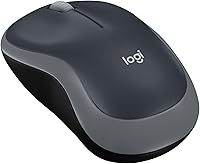
The Logitech MK345 is a practical choice when you want a full-size QWERTY keyboard with a palm rest and plan to use a separate left-handed mouse. Its bundled mouse is right-handed, so the set is not a complete left-handed solution by itself.
The keyboard has 104 keys and uses 2.4 GHz wireless connectivity through one included USB-A Nano Receiver. It works with Windows, macOS and ChromeOS, and batteries are included.
The full-size layout can help if you enter numbers often or prefer familiar navigation keys. Its width may push a left-side mouse farther away, so measure your desk before choosing it.
The keyboard is rated for up to 3 years of battery life, while the mouse is rated for 18 months. Those figures describe the maker's stated battery life, not a guarantee for every setup.
Choose this option when the keyboard matters more than the bundled mouse. It is a good fit for a left-handed user who is comfortable replacing the right-handed mouse.
ULSOU Wireless Keyboard And Mouse Combo
The ULSOU combo suits buyers who want a wave keyboard with a wrist rest and adjustable stand. Its mouse is contoured for the right hand, so left-handed users should plan to pair the keyboard with another mouse.
The combo uses one 2.4 GHz USB receiver for the keyboard and mouse, with a stated range of up to 33 ft. The receiver is stored on the back of the mouse, which is worth checking before you separate the keyboard from the bundled mouse.
The keyboard and mouse each use 1 AA battery, and batteries are not included. Automatic power saving puts the keyboard to sleep after 30 seconds of inactivity and the mouse after 15 minutes.
The keyboard supports Windows and macOS layouts through an FN+Q or FN+W switch. Its wave shape may feel natural to some users, but the mouse shape still limits the bundle for a left-handed workstation.
Choose it if you want a wave keyboard and wrist rest at a lower-complexity setup. Use a left-handed mouse beside it rather than forcing the bundled mouse to the wrong side.
SABLUTE Ergonomic Wireless Keyboard and Mouse Combo
The SABLUTE combo is aimed at users who want wave keys, a soft faux lambskin palm rest and backlighting. Its mouse is right-handed, so left-handed shoppers should treat the keyboard as the main reason to consider this set.
The keyboard and mouse connect through one 2.4 GHz USB receiver with a stated range of 33 ft. A USB-A and USB-C combination supports connection to a range of devices, including PCs, laptops, tablets, desktops, Macs and televisions.
The keyboard has 9 shortcut keys and backlighting with blue, cyan and white tones plus additional color choices. Its 4000mAh battery is rechargeable, while the mouse has a 700mAh battery, 6 buttons and 3 DPI levels of 800, 1200 and 1600.
The keyboard supports Windows, Mac and Chrome OS. The mouse's right-handed orientation remains the main limitation for left-handed use, even though the keyboard offers more adjustment and lighting features.
Choose this option when keyboard comfort and backlighting matter most. It makes more sense for a left-handed user who is willing to replace or supplement the included mouse.
Should you buy a combo or separate keyboard and mouse?
Buy a combo when the keyboard, connection and accessories fit your needs, even if you replace the mouse. Buy separate devices when mouse orientation is your main concern or you want a specific left-handed shape.
A combo can simplify setup with one receiver for both devices. That also leaves more USB ports free for storage, accessories or charging cables.
Matching appearance does not mean both devices suit the same hand. Grip, button placement and reach should matter more than style or colour.
Separate devices give you more control over width, key layout, grip and button placement. You can choose a keyboard for typing comfort and a mouse for left-handed control without compromising either part.
That freedom matters if you prefer a particular grip. Palm grip, claw grip, fingertip control, hand size and reach can each call for a different mouse shape.
The trade-off is extra complexity. You may need two receivers, two battery systems or a wired connection for one device, which adds cables and charging steps.
Separate purchases can also simplify upgrades. You can replace a worn mouse or ageing keyboard alone, which suits people who update one part at a time.
Your daily work should guide the choice too. Heavy typing places more value on keyboard layout and wrist support, while detailed pointer work places more value on mouse shape and sensitivity.
Maintenance also differs between devices. Batteries, charging ports, receiver storage and cleaning needs can add parts to track, while a simpler combo may be easier to keep running.
If wrist position is your main concern, compare an ergonomic keyboard and vertical mouse combo before choosing a standard bundle. If you prefer low hand movement, a trackball mouse keyboard combo may suit you better.
Compare shape rather than labels with those alternatives. A left-handed vertical mouse, an ambidextrous mouse and a trackball each move your hand and fingers differently.
How should you set up a left-handed mouse and keyboard combo?
Set the keyboard in front of you, place the mouse on the left and keep both devices close enough that your shoulders stay relaxed. The goal is a neutral reach, not simply moving the mouse from one side to the other.
Keep the keyboard centered on your main typing position rather than centered on the desk. If the number pad makes the keyboard wide, slide the whole keyboard slightly right so the letter keys remain in front of you.
Use the mouse with a light grip. Adjust sensitivity so ordinary pointer movement does not require large repeated sweeps, but avoid settings that make precise work difficult.
Keep the mouse surface clear and check that the receiver is not blocked by nearby metal objects or crowded USB ports. For wireless models, replace or recharge batteries before work becomes interrupted.
If you are changing from right-handed to left-handed mouse use, give your hand time to learn the new button positions. You can also swap the primary mouse button in your operating system if that makes left-clicking more natural.
What other ergonomic details matter?
A left-handed mouse solves only one part of the setup. Chair height, keyboard angle, screen position and shoulder posture also affect how far you reach.
Comfort depends on a chain of small positions. Chair height affects foot contact, keyboard height affects wrist angle, screen height affects neck position and mouse placement affects shoulder reach.
Changing only the mouse may improve grip without fixing a keyboard that sits too high, too far away or at a tight angle. Adjusting the whole arrangement in small steps often works better.
Set your chair so your feet rest on the floor and your elbows stay close to your sides. Our guide to choosing the right office chair height explains how seat height affects your desk position.
That position lets you judge the keyboard and mouse more fairly. If your feet dangle, your elbows float or your shoulders rise, even a well-shaped mouse may tire you after a few hours.
Keep the keyboard at a height that lets your forearms stay broadly level with the desk. A wrist rest can support your hands during pauses, but it should not force your wrists upward.
Angle matters as well. A keyboard that is too steep can change wrist posture, while a flat position may suit some users better depending on desk and chair height.
Place the mouse close to the keyboard so your left arm need not travel outward for routine work. This matters most with a full-size keyboard, where the number pad adds width on the opposite side.
Screen position can also affect mouse location. If the monitor is off-centre, you may twist toward the display and move the mouse with that rotation, making a left-side setup feel less neutral.
Desk clutter plays a smaller but real role. A mouse that hits a lamp base, monitor stand, notebook or desk edge may force repeated corrections in hand position.
A split keyboard can reduce shoulder rotation toward a wide keyboard. Compare the best split keyboard and mouse options if you want to adjust the two halves around your body.
A split layout also lets you angle each side slightly, which may suit people whose shoulders turn inward by a wide board. It may not suit everyone, especially if you rely on a number pad or a familiar one-piece layout.
For a broader comparison, read our best ergonomic keyboard and mouse combo guide. It can help you decide whether you need a different keyboard shape or only a better mouse.
Ergonomic details still need personal testing. Small adjustments, breaks, movement and a clear mouse surface can matter as much as the headline shape.
What is the best way to choose?
Choose the Logitech MK345 if you want a familiar full-size keyboard and are comfortable replacing its right-handed mouse. That suits left-handed users who value a standard QWERTY layout, a palm rest and straightforward wireless setup over the bundled mouse.
Choose the ULSOU if a wave keyboard and wrist rest matter most. It may suit users who want a shaped typing surface and an adjustable stand, but the included mouse still needs attention for left-handed use.
Choose the SABLUTE if you want rechargeable power, backlighting and extra keyboard controls. Those features may appeal if you work in lower light or want shortcut keys, but the right-handed mouse remains the main limitation.
For a complete left-handed setup, prioritise mouse shape first. A keyboard can suit either hand, but a right-handed contoured mouse remains a poor fit on the left.
That does not make every bundle a bad buy. The value may come mainly from the keyboard, while the bundled mouse becomes a spare, a secondary device or an item to replace.
Check the receiver and battery setup before you commit. A shared receiver can simplify setup, but confirm where it is stored, whether your computer has a free port and how each device is powered.
Check desk space with the mouse on the left side. A full-size keyboard, a wide wave keyboard or a large mouse can all change how far your left arm travels.
If you keep the keyboard and change the mouse, confirm the replacement works with your computer. Connection type, battery care and operating system support should match how you already use the desk.
The best choice is the keyboard you would keep anyway, plus a mouse shaped for your left hand. That keeps the decision practical and avoids forcing a right-handed mouse into a left-handed workstation.
Frequently asked questions
Can a left-handed person use a regular keyboard?
Yes. Most regular keyboards use a centered or nearly centered typing layout, so hand preference does not usually require a special keyboard.
Check the number pad, navigation keys and wrist rest instead.
A separate mouse is often the more important choice because many bundled mice are shaped for the right hand.
Are wireless mouse and keyboard combos good for left-handed users?
Wireless combos can work well for left-handed users when the mouse is ambidextrous or designed for the left hand. A shared USB receiver can reduce cable clutter, but check where the receiver is stored and whether the mouse shape suits your hand before choosing a bundle.
What should I do if a combo includes a right-handed mouse?
You can keep the keyboard and replace the mouse with a left-handed or ambidextrous model. This may be practical when the keyboard has the layout, wrist support or connection you want.
Confirm that the replacement mouse uses a connection your computer supports.
Is a vertical mouse better for left-handed use?
A vertical mouse may suit left-handed use if it is made for the left hand or has an ambidextrous design. Shape matters more than the word ergonomic.
Compare the button placement, thumb support and hand orientation, then adjust your grip and desk position gradually.