What Is the Best Laptop Stand for Dual Monitor Setups?
On this page (7 sections)
The best laptop stand for dual monitor setups is often a heavy-duty, adjustable model that can securely hold both your laptop and one or two external monitors at an ergonomic height. You need something stable and with enough space to arrange your screens comfortably. Finding the right one can transform your workspace and improve your posture.
Setting up dual monitors with your laptop can greatly boost productivity. But without the right support, it can lead to a cramped desk and poor viewing angles. We found that investing in a good laptop stand is key to achieving a comfortable and efficient dual-screen environment. It helps organize your cables too.
- A good stand supports your laptop and external monitors.
- Adjustability is important for proper screen height.
- Stability prevents wobbling and ensures safety.
- Consider your desk space and monitor sizes.
- Look for features like cable management.
Let’s walk through what makes a stand ideal for dual monitor configurations and help you find the perfect fit for your desk. Our guide to the best standing desk for two monitors can help you find a suitable base for your setup.
Finding the Right Laptop Stand for Your Dual Monitor Setup
When you’re juggling two external monitors alongside your laptop, your desk can quickly feel like a command center gone wild. The right laptop stand can transform this chaos into an organized, ergonomic paradise. It’s not just about propping up your laptop; it’s about creating a functional workspace that supports your health and productivity.
We’ve researched various options to help you find a stand that can handle the weight and size of multiple screens. Let’s break down what you need to consider.
Key Features of an Ideal Dual Monitor Laptop Stand
A stand for dual monitors needs to be more than just a simple riser. It needs to be a sturdy foundation for your entire setup. Think of it as the backbone of your workstation.
Stability and Weight Capacity: The Non-Negotiables
First and foremost, your stand must be rock-solid. A wobbly stand is not only annoying but potentially dangerous for your expensive equipment. Look for stands made from durable materials like heavy-gauge steel or robust aluminum.
Many stands list their maximum weight capacity. For a dual monitor setup, you’ll likely need a stand that can comfortably support 15-30 pounds or more, depending on your monitor sizes. Always check the specifications to ensure it can handle the combined weight of your laptop and at least one, if not two, external displays.
Adjustability for Perfect Ergonomics
Ergonomics is key to avoiding neck and back pain. Your goal is to position your laptop and monitors so the tops of the screens are roughly at eye level. This prevents you from hunching over.
Look for stands offering height and tilt adjustments. Some stands allow you to angle your laptop screen upward, which can be helpful for visibility. For dual monitors, you might find yourself needing a stand that can position one screen slightly higher or lower than the other, or at a different angle. Some advanced stands might even allow for VESA mount adjustments, giving you ultimate control. For dual monitors, you might find yourself needing monitor arms to position screens effectively.
Ample Surface Area and Desk Footprint
You need space for your gear. A stand with a too-small platform might not accommodate your laptop comfortably, especially if it’s a larger model. Moreover, consider the base of the stand. A wide base might overhang your desk, or conversely, a very compact base might offer less stability.
Many users find that stands with generous platforms, perhaps 14-18 inches wide, work well for most laptops. When considering external monitors, you’ll likely be mounting those on separate arms or stands. Your laptop stand primarily needs to hold the laptop securely and provide a stable platform from which to manage your setup. Think about the overall footprint and how it fits on your desk.
Cable Management Solutions
Dual monitor setups mean extra cables—power cords, HDMI or DisplayPort cables, USB connectors. A good laptop stand will incorporate some form of cable management. This could be built-in clips, channels, or even a tray underneath.
Tangled cables are an eyesore and a tripping hazard. Well-organized cables make your workspace look cleaner and make it easier to move or adjust your setup if needed. Many premium stands offer integrated cable routing, which is a fantastic feature to look for.
Types of Laptop Stands Suitable for Dual Monitor Workstations
Not all laptop stands are created equal, especially when you’re adding multiple screens. Here’s a look at common types that can work for you.
Heavy-Duty Adjustable Stands
These are often the most robust option. They typically feature sturdy metal construction and a wide, stable base. Their adjustability allows you to dial in the perfect height and angle for your laptop.
When using with dual monitors, this type of stand is excellent for holding your laptop. You’d then typically use separate monitor arms or stands for your external displays, positioning them around your elevated laptop. Many experts recommend this tiered approach for optimal ergonomics (Cleveland Clinic).
Monitor Desk Mounts with Laptop Trays
Some monitor arms come with an optional or integrated laptop tray attachment. These are designed to hold your laptop on the same arm as one or two monitors. This can create a very integrated and adjustable setup.
The advantage here is that everything moves together. If you need to adjust the position of your entire screen array, the laptop moves with it. However, ensure the monitor arm has a high enough weight capacity to support your monitors plus the laptop. This is often a significant requirement.
Ergonomic Laptop Risers (with caveats)
Basic ergonomic laptop risers simply elevate your laptop. While great for single-monitor setups, they might not offer enough support or height adjustment for a comfortable dual-monitor experience on their own.
You could use one of these in conjunction with separate monitor stands. The riser lifts your laptop, and then you position your external monitors at the appropriate height. This is a more budget-friendly approach but might sacrifice some aesthetic unity and integrated adjustability.
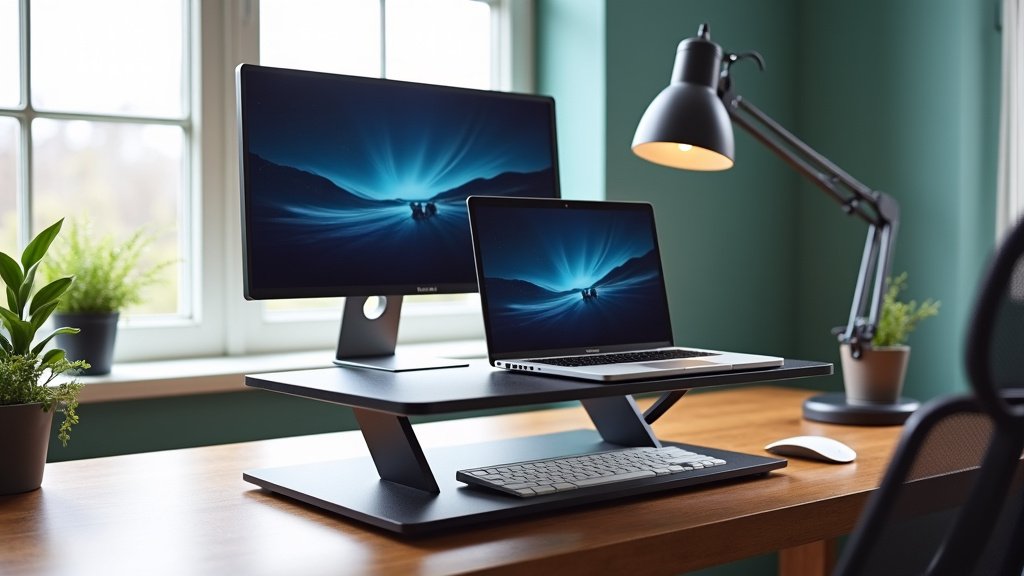
Considerations for Your Specific Setup
Choosing the right stand involves looking beyond the general features. Your personal needs and existing equipment play a big role.
Laptop Size and Weight
A 13-inch ultralight laptop has different support needs than a 17-inch gaming beast. Ensure the stand’s platform is large enough for your laptop’s dimensions. Also, confirm the weight capacity is sufficient for your specific model. Many modern laptops are quite heavy.
External Monitor Size, Weight, and Mounting
This is where dual monitor setups get tricky. Our guide to desks for dual monitors can help you plan the available surface area. Are your external monitors small 21-inch displays, or large 27-inch or even 32-inch screens? Their size and weight dictate the type of external monitor mounts you’ll need. You might need sturdy desk clamps or grommet mounts to attach monitor arms securely.
If you plan to attach monitors to the same stand as your laptop, the stand must be a heavy-duty monitor arm system with a very high weight capacity. If you’re using separate stands or arms for your external monitors, your laptop stand just needs to be stable and at a good height for your laptop. This is often the most practical approach.
Desk Space and Layout
Measure your desk! How much space do you have? Some stands have a large base that takes up considerable real estate. Others are designed to be more compact or even mount directly to the desk. Consider where your monitors will be placed. Will they be side-by-side, one above the other, or in an L-shape? This influences the overall arrangement and the type of stands or arms you’ll need.
Your Ideal Viewing Angle and Height
What’s comfortable for one person isn’t for another. Think about how you naturally look at your screens. Do you prefer a slight downward angle? Do you need your laptop screen to be flush with your external monitors, or can it be slightly lower?
Many ergonomic guidelines suggest the top of your primary monitor should be at or slightly below eye level. For dual monitors, this can be a balancing act. You might dedicate one monitor as primary and align the second as best you can. A highly adjustable stand and monitor arms provide the most flexibility to achieve this.
Making Your Choice: A Quick Checklist
Ready to find your perfect stand? Run through this quick checklist:
- Can it hold my laptop’s weight and size?
- Does it offer height and angle adjustments for my comfort?
- Is it stable enough for multiple screens?
- Will it fit my desk space effectively?
- Does it have helpful cable management features?
- Can it integrate well with my external monitor setup?
By carefully considering these factors, you can select a laptop stand that not only supports your dual monitor setup but also enhances your entire workspace experience. A well-chosen stand is an investment in your comfort, health, and productivity.
Conclusion
You’ve learned that finding the best laptop stand for dual monitor setups is about more than just propping up your laptop. It requires considering stability, weight capacity, and crucial adjustability to support your posture and productivity. By focusing on these key features and matching them to your specific laptop, monitors, and desk space, you can create an organized and ergonomic workstation. Take the time to measure your space and check specifications. Your next step is to select a stand that offers robust support and the flexibility you need to arrange your screens comfortably and efficiently.
Frequently Asked Questions
What if my laptop is too large for a standard laptop stand platform?
If your laptop is oversized, look for stands specifically designed with wider platforms or adjustable clasps. Some heavy-duty monitor arms also offer spacious laptop tray attachments. Always check the stand’s maximum supported dimensions and weight capacity to ensure a secure fit for your larger device.
Can a single laptop stand support two external monitors and my laptop?
Typically, a laptop stand is designed to hold your laptop. An external keyboard with a laptop stand can keep typing comfortable with the screen raised. For dual monitor setups, you’ll usually need separate monitor arms or stands for your external displays. Some monitor arm systems offer integrated laptop trays, but ensure the arm’s weight capacity is exceptionally high to manage all devices.
How do I know if a stand is stable enough for multiple screens?
Look for stands made from heavy-gauge steel or robust aluminum. A wider base often provides better stability. Check product reviews and the manufacturer’s stated weight capacity. If a stand feels flimsy when empty, it won’t be stable enough for multiple monitors.
Is cable management really that important for a dual monitor setup?
Yes, it’s very important. Dual monitor setups generate a lot of cables. Good cable management, whether through built-in clips, channels, or trays, keeps your workspace tidy, prevents tripping hazards, and makes it easier to move or adjust your equipment.
What’s the best way to position my laptop screen relative to my external monitors?
The ideal positioning aims for your primary monitor’s top edge to be at or just below eye level. For dual monitors, you might align your laptop screen slightly lower or at a complementary angle to your main external display. Adjustable stands and monitor arms are key to achieving this ergonomic sweet spot.



