Why Is My Desk Too High for Typing?
On this page (6 sections)
Your desk might be too high for typing because it’s not set to the proper ergonomic height. This means your arms might be at an awkward angle, causing discomfort and potential strain. Finding the right desk height is essential for comfortable and efficient work.
Many people struggle with desk height, leading to issues like wrist pain or neck strain. Research shows that an incorrectly positioned workstation can impact your health and productivity. Ensuring your desk is the correct height helps prevent common workplace injuries and boosts your overall well-being.
- Your desk is too high if your elbows aren’t at a 90-degree angle.
- This can cause discomfort, wrist pain, and poor posture.
- Ergonomic setup is key for comfortable typing.
- Adjusting your chair and desk is often the solution. Adjusting your chair is often the first and easiest step in solving desk height problems.
Below, we’ll break down why your desk might feel too high and what you can do to fix it for a more comfortable typing experience.
Understanding Your Desk Height for Better Typing
If you’re wondering why your desk feels too high for typing, you’re not alone. Many people experience discomfort because their workstation isn’t set up ergonomically. This often means your arms are forced into an unnatural position. It can lead to nagging aches and even more serious issues over time. Finding the correct desk height is a simple yet powerful way to improve your daily comfort and efficiency.
Think of your desk height like the right fit for your shoes. If they’re too tight or too loose, your feet will hurt. Your desk is similar; it needs to fit you. An improperly positioned desk can contribute to a variety of discomforts, from stiffness in your shoulders to pain in your wrists. We want to help you find that perfect fit.
The Ergonomic Ideal: Your Elbow’s Best Friend
The golden rule for ergonomic typing is all about your arms. When you sit at your desk, your elbows should form a 90-degree angle. Your forearms should be parallel to the floor. Imagine you’re resting your arms comfortably after a long day. This position allows your muscles to relax and reduces strain.
When your desk is too high, your arms are pushed upwards. This forces your shoulders to hunch and your wrists to bend unnaturally. It’s like trying to eat with your fork held too high. It’s awkward, tiring, and just plain wrong. This position puts extra pressure on your wrists and can lead to conditions like carpal tunnel syndrome over time. Many experts recommend this 90-degree angle for preventing repetitive strain injuries (Occupational Safety and Health Administration).
Signs Your Desk is Too High During Typing
How can you tell if your desk is the culprit? Look for these common signs. They’re your body’s way of telling you something needs to change.
- Shoulder Tension: Do your shoulders feel tight or constantly raised towards your ears? This often happens when you’re reaching up to type.
- Wrist Pain or Numbness: Are you experiencing tingling or pain in your wrists? A high desk forces your wrists to bend upwards, compressing nerves.
- Elbow Discomfort: Even if it’s not a sharp pain, do you feel a dull ache or strain in your elbows? This indicates your arms are not in a neutral, relaxed position.
- Poor Posture: You might find yourself leaning forward or hunching over your keyboard. This is your body’s attempt to compensate for the awkward arm position.
- Fatigue: Simply feeling more tired than usual at your desk can be a sign. Your muscles are working harder to maintain an uncomfortable position.
These signals are your body sending you an important message. Ignoring them can lead to chronic pain and reduce your overall productivity. It’s like ignoring a squeaky wheel on your car; eventually, it can cause bigger problems.
The Impact on Your Productivity and Well-being
It’s not just about physical comfort. A desk that’s too high can actively work against you. When you’re constantly adjusting your position or feeling discomfort, your focus suffers. You’re spending energy managing your physical state instead of concentrating on your tasks. Research consistently shows a link between poor ergonomic setups and decreased productivity (Harvard Business Review).
Furthermore, the long-term effects can be more serious. Chronic pain can affect your mood, sleep, and overall quality of life. It can even impact your ability to perform everyday tasks outside of work. Investing a little time in setting up your desk correctly is an investment in your long-term health and happiness.
Why Standard Desk Heights Can Be Problematic
Many desks come in standard sizes, but “standard” doesn’t mean “perfect for everyone.” The average desk height in the US is around 29-30 inches. This height works well for many people of average height. However, individuals who are significantly taller or shorter will find this height problematic.
Imagine buying a one-size-fits-all shirt. It might fit okay, but it’s unlikely to be the perfect fit for everyone. The same applies to desks. Your unique body dimensions matter. What’s comfortable for one person can be completely unsuitable for another. This is why adjustable solutions are becoming so popular.
Considering Your Body’s Unique Needs
When we talk about ergonomics, we’re talking about fitting the workspace to the worker. This means considering your height, arm length, and even your sitting posture. Someone with longer legs might need a slightly higher chair, which in turn might require a higher desk to maintain the 90-degree elbow angle.
Conversely, someone shorter might need a lower chair, making a standard desk feel like a skyscraper. It’s about creating a harmonious relationship between your body and your tools. We found that people often overlook how much their personal measurements impact their desk comfort.
The Role of Your Chair in Desk Height Issues
It’s easy to blame the desk, but your chair plays a huge role. The relationship between your chair height and your desk height is critical. If your desk chair is too low, the desk will naturally feel too high, even if it’s a standard height.
Adjusting your chair is often the first and easiest step in solving desk height problems. You want to raise your chair so that your feet are flat on the floor and your thighs are roughly parallel to the floor. From there, you can assess if the desk is still too high for your elbows to meet that 90-degree angle.
Here’s a quick checklist to help you assess your current setup:
- Sit up straight with your feet flat on the floor.
- Adjust your chair so your elbows form a 90-degree angle when your hands are on the keyboard.
- Ensure your forearms are parallel to the floor.
- Your wrists should be straight, not bent up or down.
- Your shoulders should be relaxed, not hunched.
- If your desk prevents any of these, it’s likely too high.

Solutions for a Desk That’s Too High
The good news is that there are several practical solutions if your desk is indeed too high. You don’t have to live with the discomfort. We’ll walk you through some effective ways to fix it.
Adjusting Your Existing Setup
Before buying anything new, let’s see what you can do with what you have. Sometimes, small adjustments make a big difference.
Chair Adjustments
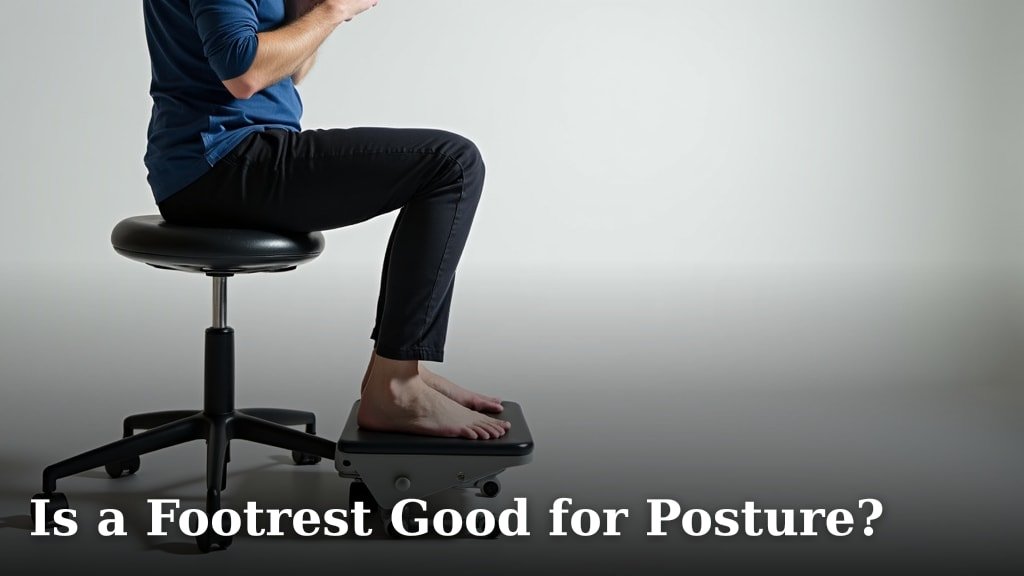
As we discussed, your chair is your first line of defense. Most office chairs have adjustable height. Use this feature to get your elbows to the correct angle. If your chair doesn’t go high enough, consider a footrest. A footrest can help you achieve a more stable and comfortable seated position, allowing you to raise your chair correctly without your feet dangling.
Keyboard Tray Installation
A keyboard tray is a fantastic solution for desks that are too high. If wrist discomfort continues, learn whether a wrist brace for typing may be appropriate. This is a tray that attaches under your desk and can be adjusted to the perfect typing height. It lowers your keyboard and mouse, allowing your arms to rest at that crucial 90-degree angle. Many trays also have wrist rests, offering additional support. We found that this is a very popular and effective fix for many individuals.
Monitor Placement
While not directly related to desk height, monitor placement can affect your posture. If your monitor is too low, you might hunch forward. If it’s too high, you might strain your neck looking up. Ensure your monitor is at eye level. This helps maintain a more neutral spine position, which complements your ergonomic arm setup.
Considering a New Desk or Workspace Solution
If adjusting your current setup isn’t enough, it might be time to look at new furniture. Thankfully, there are more options than ever.
Adjustable Height Desks (Sit-Stand Desks)
These desks are a game-changer for ergonomics. You can adjust the height of the entire desk surface. This means you can set it to your perfect typing height, and even switch between sitting and standing throughout the day. Many experts agree that having the option to change positions can prevent fatigue and improve overall health (National Institute for Occupational Safety and Health).
These desks come in manual crank versions or electric models. Electric models are easier to adjust on the fly. While they can be an investment, the long-term benefits for your comfort and health are substantial. You are essentially getting a custom-fit desk.
Under-Desk Risers or Blocks
For a more budget-friendly option, you can place risers or sturdy blocks under the legs of your current desk. This effectively raises the entire desk. Ensure the risers are stable and the desk remains level. This can be a quick way to test out a higher desk height before committing to a new purchase. Just be sure the blocks are secure and won’t cause wobbling.
DIY Solutions
Some creative individuals have found DIY solutions. This might involve building a custom desk frame or modifying an existing one. If you’re handy, this could be a cost-effective way to achieve the perfect height. Always prioritize safety and stability in any DIY project.
Desk Height Comparison Table
To help you visualize, here’s a quick comparison of common desk heights and their typical user suitability. Remember, these are general guidelines, and personal comfort is key.
| Desk Height (Approx.) | Typical User Height | Ergonomic Suitability |
|---|---|---|
| 25 inches (Compact/Children’s) | Under 5’0″ | Too low for most adults. |
| 28-29 inches (Standard/Average) | 5’4″ – 5’10” | May be too high for shorter individuals. |
| 30-32 inches (Counter Height/Tall) | 5’11” – 6’3″ | May be too low for very tall individuals; good for standing desks. |
| Adjustable Height | All Heights | Ideal for custom ergonomic setup, supports sitting and standing. |
This table shows why a “standard” desk might not fit your needs. Your body deserves a setup that works for you, not against you.
Conclusion
You’ve learned that a desk too high for typing often means your workstation isn’t set up with your body in mind. Remember, that ideal 90-degree elbow angle is key to comfort and preventing strain. Your body dimensions and chair height play a big part too. Don’t let a poorly positioned desk impact your well-being or productivity.
Take a moment today to assess your current setup. If your desk is too high, try adjusting your chair first, or consider a simple solution like a keyboard tray or footrest. Your comfort and long-term health are worth the small adjustments.
Frequently Asked Questions
How do I know if my desk is the right height?
The best way to tell is to sit at your desk and check your elbow angle. When typing, your elbows should be at about a 90-degree angle, with your forearms parallel to the floor. If your arms are forced upwards, your desk is likely too high.
Can my chair height fix a desk that’s too high?
Yes, your chair height is the first thing to check. Adjusting your chair up can often bring your elbows into the correct position relative to the desk. If your chair doesn’t go high enough, a footrest can help you maintain good posture.
What’s the standard desk height in the US?
Standard desks in the US are typically around 29 to 30 inches high. This height works for many people of average height, but it’s not a universal fit. If you’re significantly taller or shorter, this standard height might cause issues.
Are sit-stand desks good for a desk that’s too high?
Adjustable height desks, also known as sit-stand desks, are an excellent solution. They allow you to customize the desk height for both sitting and standing. This flexibility ensures you can always find an ergonomic position, regardless of your height or tasks.
What if I can’t adjust my desk or chair height?
If your desk and chair aren’t adjustable, consider adding a keyboard tray that mounts under your desk. This lowers your keyboard and mouse independently of the desk surface. A sturdy footrest can also help you achieve better posture if your chair is too low for the desk.