What Is the Best Desk Height for a Standing Desk?
On this page (7 sections)
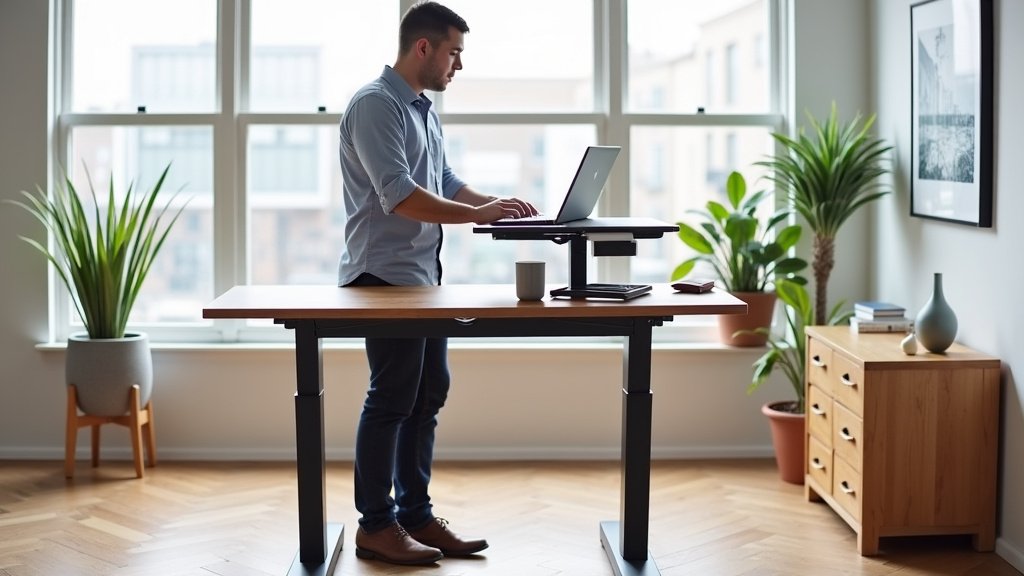
The best desk height for a standing desk is one where your elbows form a 90-to-100-degree angle when your hands are on your keyboard, with your wrists straight. Your monitor should be at eye level. This ergonomic setup helps you avoid strain.
Finding your ideal standing desk height is all about matching it to your body. It’s not a one-size-fits-all number. We found that personal comfort and proper posture are key for long-term use.
- Set desk height so elbows are at 90-100 degrees.
- Keep wrists straight and relaxed.
- Position monitor at eye level.
- Adjust for your individual body.
- Prioritize comfort and good posture.
Let’s walk through exactly how to measure and adjust your standing desk for perfect ergonomic comfort. We’ll help you find your sweet spot.
Finding Your Optimal Standing Desk Height
The perfect standing desk height is where your elbows form a 90-to-100-degree angle. Your wrists should stay straight and neutral. This setup prevents strain and encourages good posture.
Think of it like this: when you’re standing, your forearms should be roughly parallel to the floor. Your shoulders should feel relaxed, not hunched up. This is your personal ergonomic sweet spot.
Why Specific Angles Matter for Ergonomics
You might wonder why we focus so much on angles. It’s because proper angles minimize stress on your joints and muscles. Your body works best when it’s in a neutral position.
An overly high desk forces you to shrug your shoulders, leading to neck and upper back pain. A desk that’s too low makes you bend forward, straining your lower back and wrists.
Many experts agree that maintaining these angles is key for long-term comfort (Occupational Safety and Health Administration).
The 90-to-100-Degree Elbow Rule
This rule is perhaps the most important. When you stand at your desk, place your hands on your keyboard. Look at your elbows. Are they bent at a gentle right angle? Great!
If your elbows are pointing sharply down or stretched out too far, you need to adjust. We’ll show you exactly how in the next section.
Keeping Wrists Straight and Neutral
Along with elbow angle, your wrists need attention. Imagine a straight line from your elbow through your wrist to your fingertips. That’s what you want.
Bending your wrists up or down for extended periods can cause discomfort. It can even lead to issues like carpal tunnel syndrome over time. So, keep them straight!
How to Measure Your Ideal Standing Height
Let’s get practical. Finding your exact height is easier than you think. You’ll need your standing desk, a measuring tape, and maybe a friend.
Follow these steps to dial in your perfect ergonomic setup. It’s a bit like tailoring a suit for your body.
Step-by-Step Adjustment Guide
We’ve broken it down into simple, easy-to-follow steps. No complicated math here, just a few adjustments.
- Stand naturally: Stand in front of your desk as you would when working. Relax your shoulders.
- Bend your elbows: Let your arms hang loosely. Then, bend your elbows to a 90-degree angle.
- Measure from the floor: Have a friend measure the distance from the floor to the bottom of your bent elbow. This is your target keyboard height.
- Adjust your desk: Raise or lower your standing desk until the keyboard surface matches that measurement.
- Check your wrists: Place your hands on your keyboard. Make sure your wrists are straight, not bent up or down.
- Fine-tune: Make small adjustments until it feels completely comfortable. Sometimes an extra inch makes all the difference.
Using Your Ergonomic Monitor Height
Once your desk and keyboard are set, don’t forget your monitor. This is crucial for neck comfort. Your monitor needs to be at eye level.
The top of your monitor screen should be level with your eyes. This means you look slightly downward, not up or straight across. This prevents you from craning your neck.
If your monitor is too low, you’ll constantly be looking down. Too high, and you’ll be tilting your head back. Both can lead to neck pain.
You might need a monitor arm or a riser to achieve the right height. These are simple additions that make a big difference.
Factors That Influence Your Perfect Desk Height
While the elbow rule is a great starting point, other things play a role. Your body is unique, after all. What works for one person might not be ideal for another.
Think about these additional factors when setting up your standing workstation. They can fine-tune your comfort.
Your Height and Stance
Obviously, your personal height is a huge factor. Shorter users can review standing desk heights for short people. A taller person will need a higher desk than a shorter person. This is why a “one-size-fits-all” approach doesn’t work.
Also, consider your stance. Do you naturally stand with your feet hip-width apart? Do you shift your weight often? These subtle movements can change your perceived ideal height.
Footwear Choices
Yes, even your shoes matter! If you wear flats one day and shoes with a 2-inch heel the next, your standing height changes. This means your desk height might need a small adjustment.
Many people who use standing desks keep a pair of comfortable, flat shoes at their workstation. This helps maintain a consistent ergonomic setup. Or, they adjust their desk regularly.
Keyboard and Mouse Thickness
Believe it or not, the thickness of your keyboard and mouse can impact your setup. A very thick mechanical keyboard will put your hands higher than a slim, low-profile keyboard.
Place your keyboard and mouse on the desk when you measure. This ensures your hand position is accurate relative to the desk surface.
Anti-Fatigue Mats
Using an anti-fatigue mat is highly recommended for standing desk users. These mats reduce pressure on your feet and back. They can also add an inch or two to your height.
If you use an anti-fatigue mat, make sure you’re standing on it when you measure your ideal desk height. It will affect the final setting.
Common Mistakes to Avoid When Adjusting Your Standing Desk
It’s easy to make a few slip-ups when setting up your standing desk. Don’t worry, we’ve seen them all. Knowing what to avoid can save you discomfort later.
We found these are the most common errors people make. Are you guilty of any of these?
Ignoring the Monitor Height
This is a big one. You might get your desk height perfect, but if your monitor is too low or too high, your neck will still suffer. Your eyes should naturally fall to the top third of the screen.
As we mentioned, a monitor arm or riser is a great solution. Invest in one if needed. Your neck will thank you.
Locking Your Knees
When standing, avoid locking your knees. This puts undue stress on your joints and can restrict blood flow. Keep a slight bend in your knees at all times.
Think of it as standing “softly.” Shift your weight occasionally. Maybe even do a little sway dance now and then. Your body likes movement.
Forgetting to Switch Positions
Even with a perfect standing setup, you shouldn’t stand all day. Read about standing desks and varicose veins when planning how to alternate positions. The benefit of a standing desk comes from the ability to switch between standing and sitting.
Many experts recommend alternating every 30-60 minutes. Listen to your body. If you feel tired or uncomfortable, it’s time to switch.
Using Poor Lighting
Good lighting reduces eye strain. If your workspace is too dim or too bright, you might unconsciously lean closer to your screen or squint. This impacts your posture.
Position your desk to avoid glare on your screen. Use natural light when possible, or invest in a good desk lamp with adjustable brightness.
A Quick Checklist for Your Standing Desk Setup
Here’s a handy checklist to ensure you’ve covered all the bases for your standing desk setup. Use this as your final review.
Go through each item and give yourself a mental checkmark. If something is off, now’s the time to fix it.
- Are your elbows bent at 90-100 degrees with hands on the keyboard?
- Are your wrists straight and neutral?
- Is the top of your monitor screen at eye level?
- Are your shoulders relaxed, not hunched?
- Are your knees slightly bent, not locked?
- Do you have an anti-fatigue mat if standing for long periods?
If you answered “yes” to all of these, congratulations! You’ve successfully created an ergonomic standing workstation. Enjoy the comfort and the health benefits!
Conclusion
You’ve seen that the best standing desk height isn’t universal. It’s all about fitting your unique body perfectly. By focusing on that 90-to-100-degree elbow angle and keeping your monitor at eye level, you create an ergonomic sanctuary.
We found that small adjustments make a big difference for your comfort and long-term health. Don’t forget to switch between sitting and standing, and listen to what your body tells you. Take a moment right now to measure and adjust your own standing desk with our guide, and feel the difference.
Frequently Asked Questions
How often should I switch between sitting and standing?
It’s generally recommended to switch positions every 30 to 60 minutes. Your body benefits most from movement and varied postures, rather than prolonged standing or sitting. Listen to your body and change positions when you start to feel uncomfortable.
Can my standing desk be too high or too low even if my elbows are at the right angle?
While the elbow rule is key, your desk can still feel off if other factors aren’t right. For example, if your monitor isn’t at eye level, you’ll still strain your neck. Also, using a very thick anti-fatigue mat without adjusting for it can make your desk effectively too low.
Do I need a special keyboard or mouse for a standing desk?
You don’t necessarily need special equipment, but ergonomic options can enhance comfort. The most important thing is that your existing keyboard and mouse allow your wrists to remain straight and neutral. Consider their thickness when measuring your ideal desk height.
What if I can’t get my monitor high enough for eye level?
If your monitor stand isn’t tall enough, a monitor riser or an adjustable monitor arm can solve this problem. These additions allow you to raise your screen to the correct height, aligning the top of the monitor with your eye level to prevent neck strain.
Will using an anti-fatigue mat change my ideal desk height?
Yes, an anti-fatigue mat typically adds 1-2 inches to your standing height. If you use one, make sure to stand on the mat when you measure your ideal desk height. This ensures your desk is set correctly for your actual working height while on the mat.